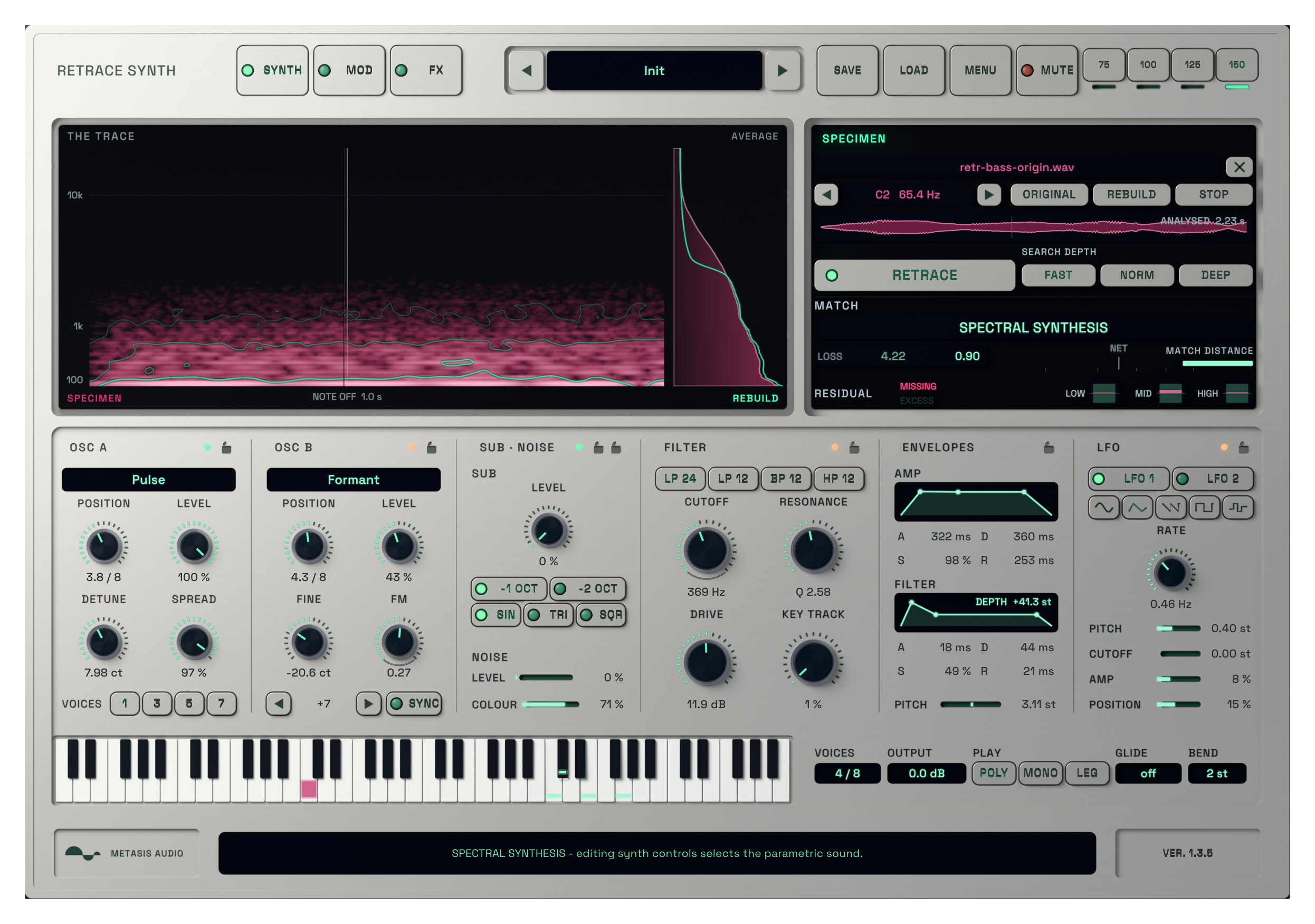
RETRACE active audio-to-synth interface processing a reference sound

Retrace Synth

A local audio-to-synth instrument that analyses a reference sample, builds a playable reconstruction and gives you a full synth to shape next.

Windows · VST3macOS · AU + VST3
$69.99

Digital product. No shipping.

Try demo

7-day full trial. No credit card required.

2-device licenseLifetime free updatesNo dongle

Start with a sound instead of a blank patch.

Load an isolated note or short sample. RETRACE analyses its tone and movement on your computer, builds a playable reconstruction and automatically selects the result that best matches the source.

Play new notes immediately, then use the synth controls when you want to take the sound somewhere else. Your sample is not uploaded to a cloud service.
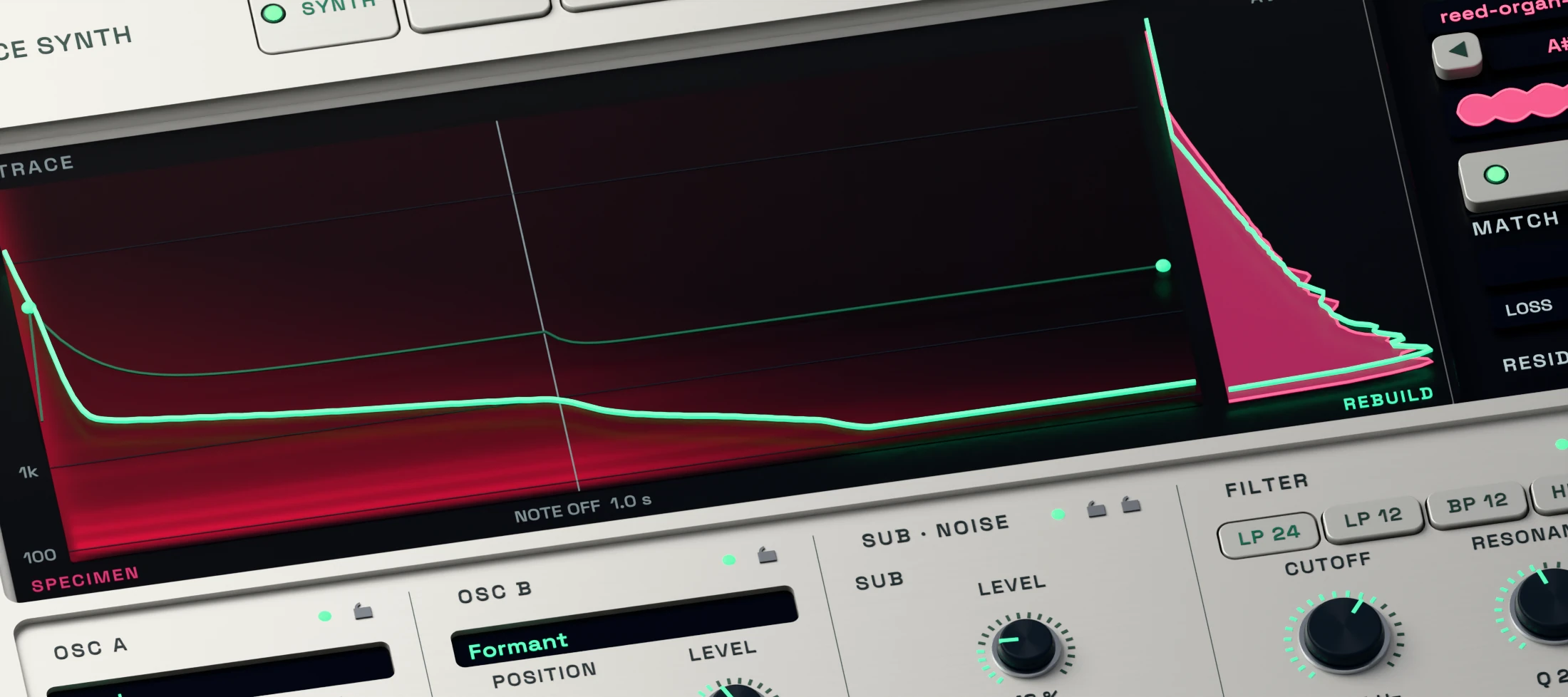
RETRACE 3D render showing an active local sample analysis and progress display

Load a sound and let RETRACE build the instrument.

Drop in an isolated note or short sound. The local model analyses its pitch, tone, envelope and movement, then creates a playable reconstruction.

There is no cloud upload, API key or usage credit. The supplied model and runtime are installed with the complete package.
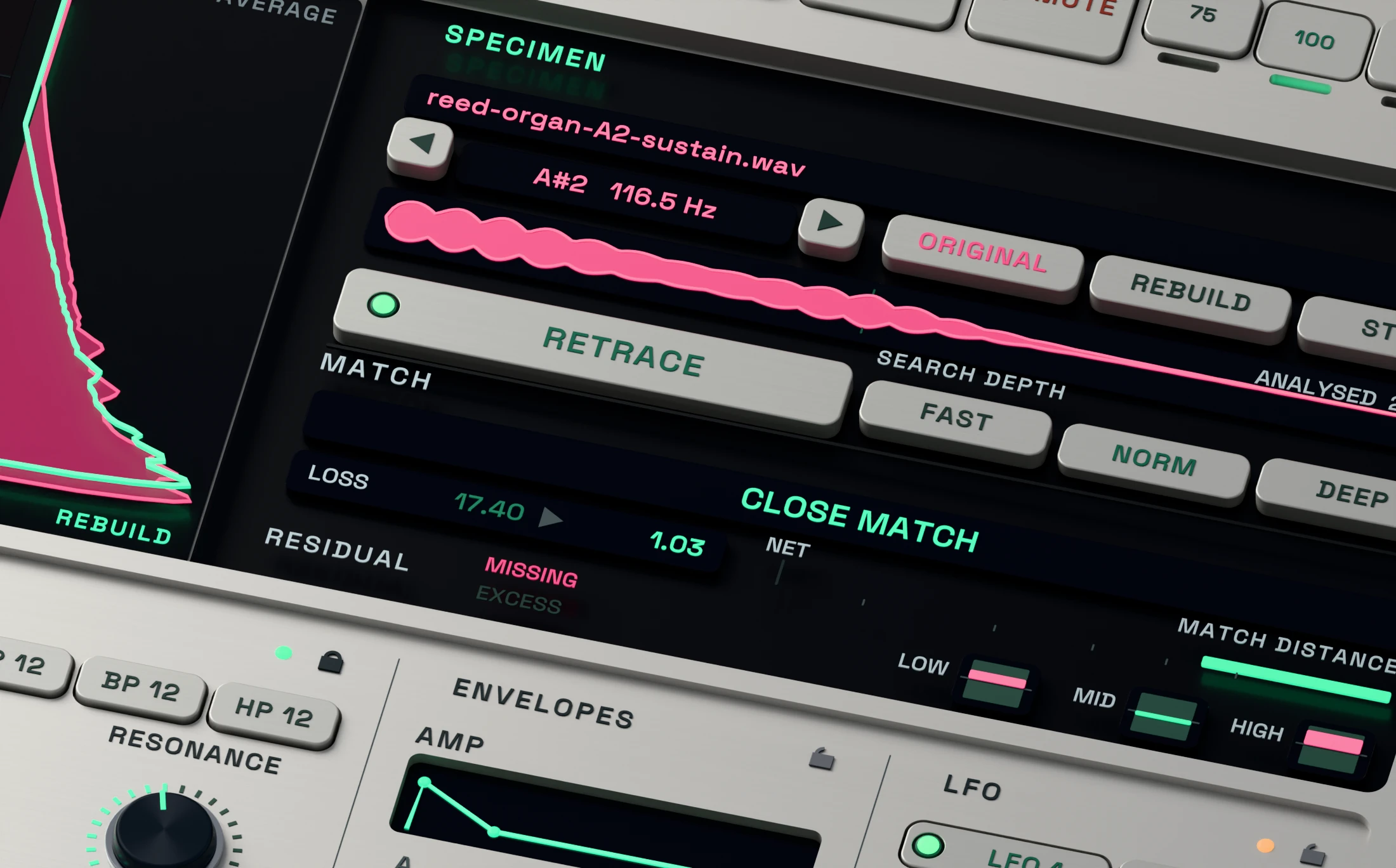
RETRACE 3D close-up showing active Original, Rebuild and match comparison controls

Compare the source and play the selected result.

Use Original and Rebuild to compare the reference with the generated sound. RETRACE evaluates its reconstruction methods and selects the stronger result automatically.

The match display is useful guidance, not a promise of exact recreation. Isolated tonal sounds usually give the clearest starting point.
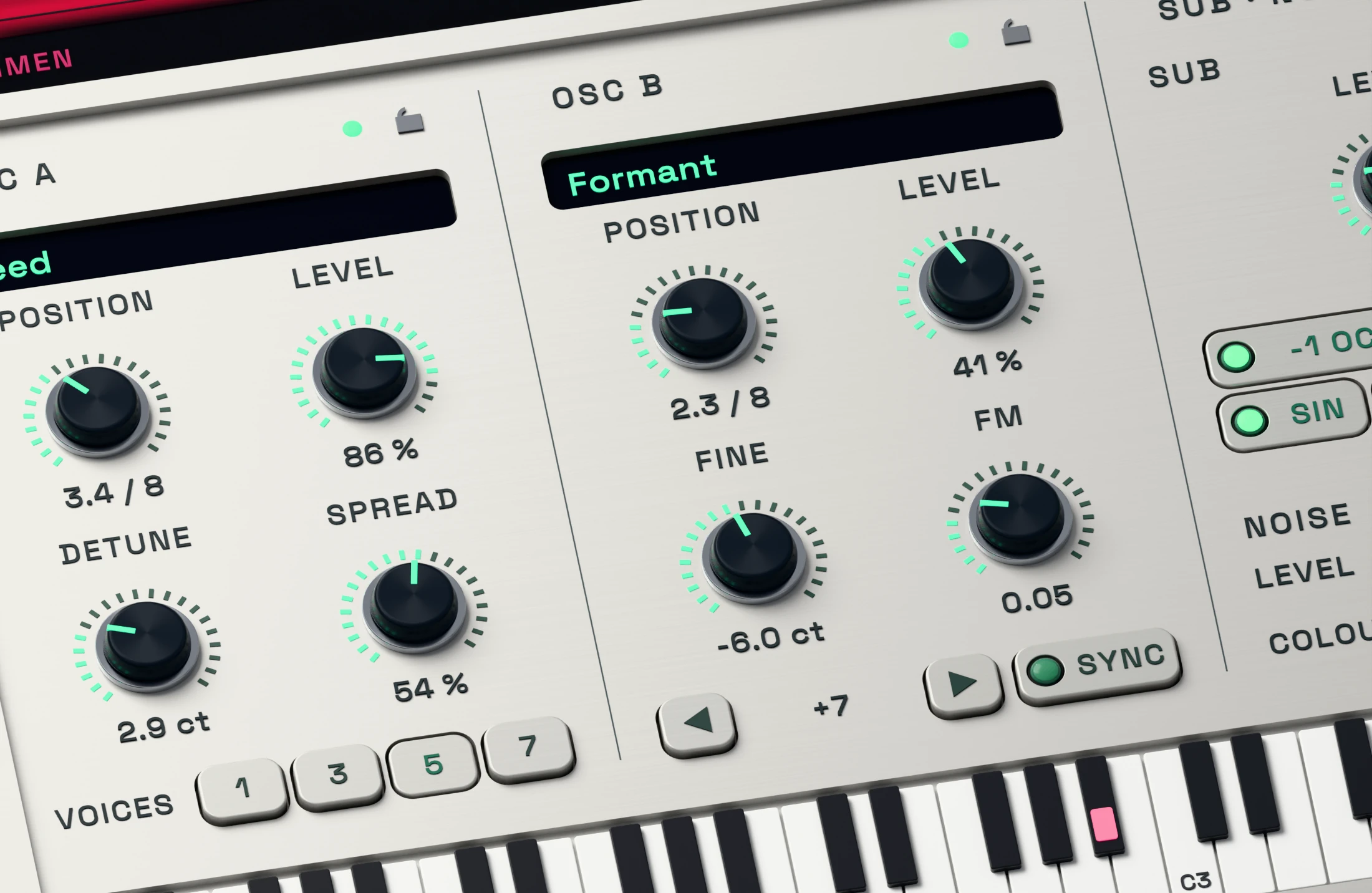
RETRACE 3D detail showing two active wavetable oscillators, sub, noise, FM and sync

Shape the parametric sound with two wavetable oscillators.

Two wavetable oscillators, sub, noise, FM and hard sync give you direct control when you want to reshape the result after analysis.

Editing an oscillator or other core synth control moves playback to the parametric reconstruction automatically. There is no reconstruction selector in the menu.
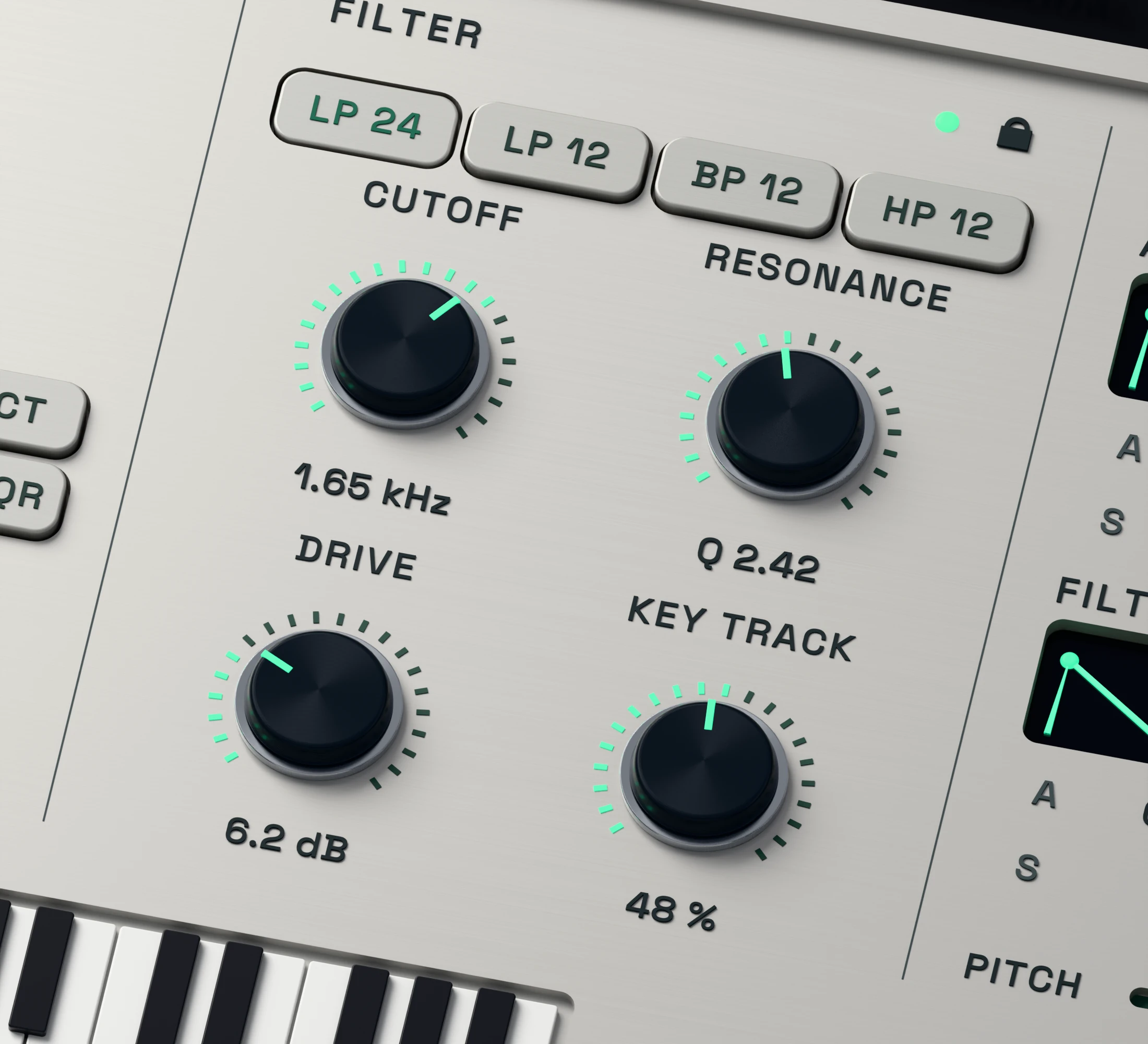
RETRACE 3D close-up showing the active filter cutoff and resonance controls

Adjust brightness and resonance by ear.

Use Cutoff and Resonance to make the parametric reconstruction darker, brighter or more focused while you play it in the track.

A filter edit selects the parametric reconstruction automatically, so listen again after making the change.
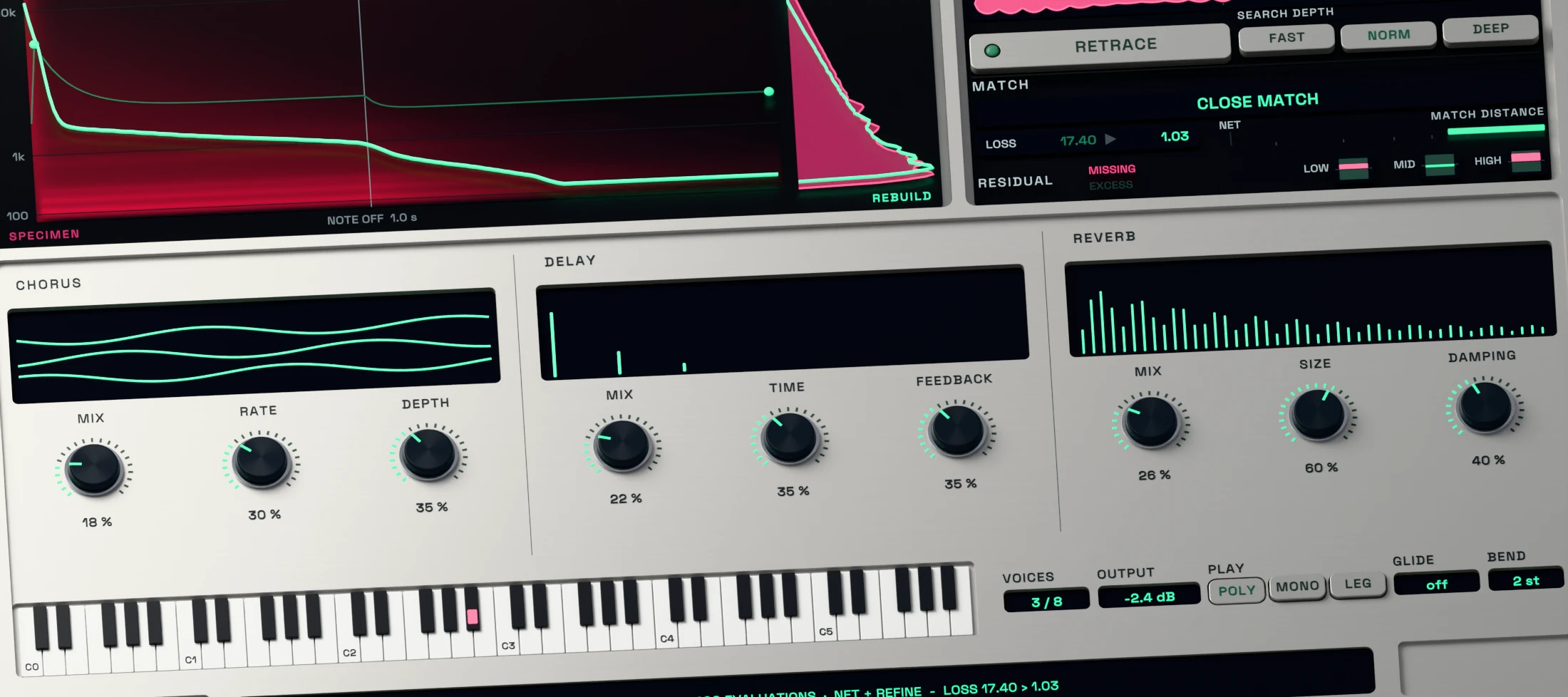
RETRACE 3D detail showing active envelopes, modulation, chorus, delay and reverb

Add movement, expression and space.

Shape the envelopes, add modulation and place the parametric sound with chorus, delay and reverb. Glide, bend range and playing mode help it respond as an instrument.

Use these controls to move beyond the source once the reconstruction gives you a useful starting point.
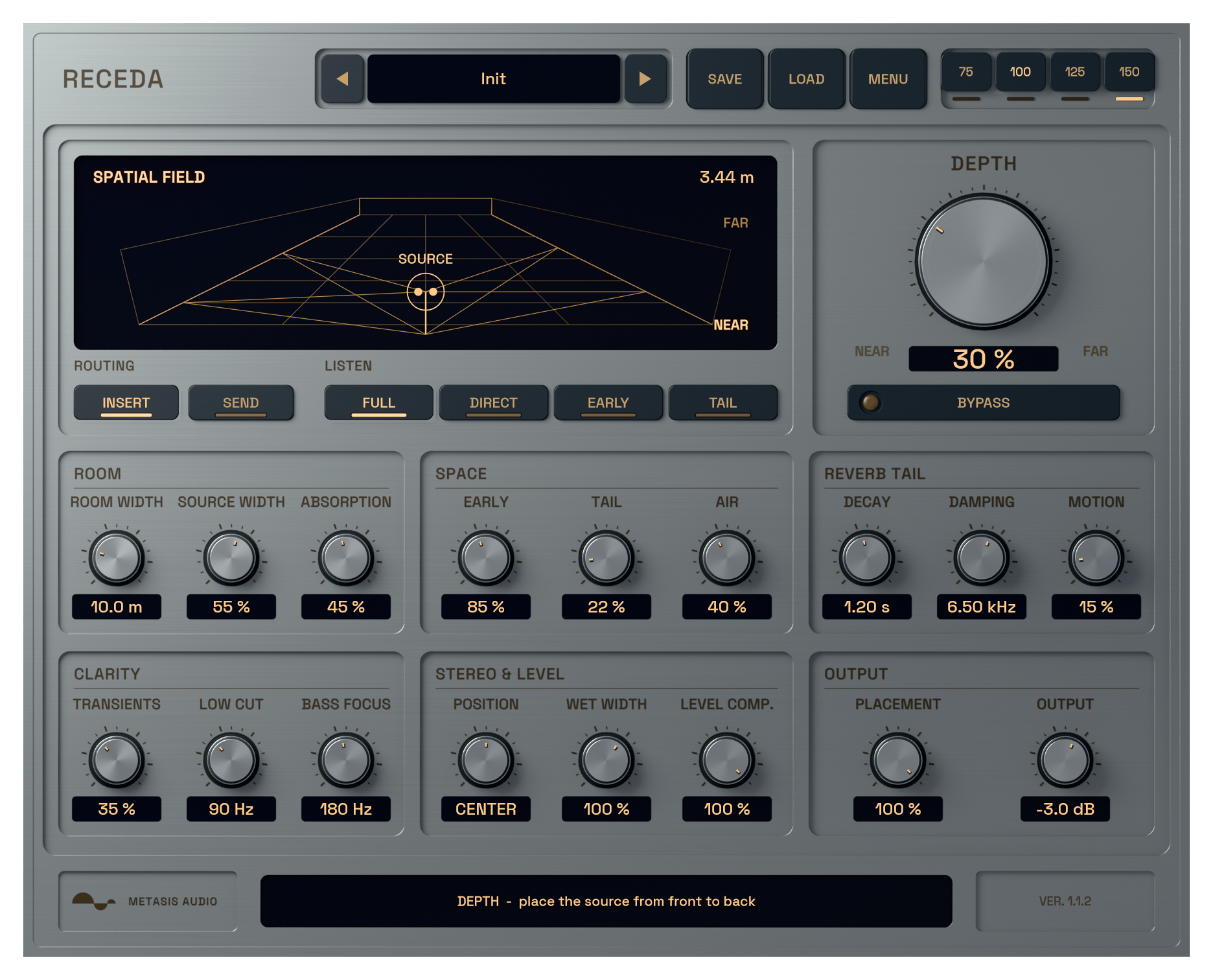
Hear the difference.

Switch between the original and processed signal at the same point in the track.

01

Pluck

02

Bass

03

808

Try Retrace Synth free for seven days

Try every feature of Retrace Synth in your own session. No credit card required.

System requirements

Windows
Windows 10 or 11, 64-bit. VST3.
macOS
macOS 14 or later. Apple Silicon required. Intel Macs are not supported.
Plugin formats
Windows: VST3. macOS: VST3, Audio Units (AU) and standalone application. Apple Silicon only.
Your DAW
Load RETRACE on an instrument track. On Mac, run the DAW natively on Apple Silicon. Install the complete package, including the local model and runtime. AAX is not included.
Read manual (PDF)

Frequently asked questions

What is an audio-to-synth plugin?

It analyses a reference recording and turns its characteristics into a playable instrument. RETRACE creates the reconstruction locally, then lets you play new notes and reshape the parametric synth result.

Will RETRACE recreate every sample exactly?

No. Start with an isolated note or short tonal sound. Dense layers, noise and sharp transients may remain noticeably different. The match readout is guidance, not a percentage guarantee.

Can I edit the sound after analysis?

Yes. Editing oscillators, filter, modulation or effects selects the parametric reconstruction automatically. RETRACE 1.3.5 has no manual reconstruction selector in the menu.

Are my samples uploaded?

No. Analysis runs on your computer with the supplied model. RETRACE does not need a cloud account, API key or usage credits. License activation and device changes need internet access, but normal activated use works offline.

Can I try RETRACE before buying it?

Yes. The full instrument runs for seven days from first launch with no credit card required. Activate a purchase with the email address and license key shown in your account.

Which systems and plugin formats are supported?

Windows 10 or 11 uses the 64-bit VST3. The Mac build requires Apple Silicon and macOS 14 or later, and includes VST3, Audio Units and a standalone application. Intel Macs and AAX are not supported.

Choose which optional services may run. Your choice is stored on this device for 180 days. You can change or withdraw it at any time through Cookie settings in the footer.

Privacy policy

METASIS AUDIO

Your cart

No products in the cart.

Final total and applicable taxes shown at checkout.