Give one performance more movement and width.
Start with two voices around a guitar, vocal or synth. Give them slightly different timing and positions, then add more only when the part needs a denser texture.
Every voice can use its own engine and settings. Build one coherent chorus or combine different behaviours inside the same effect.
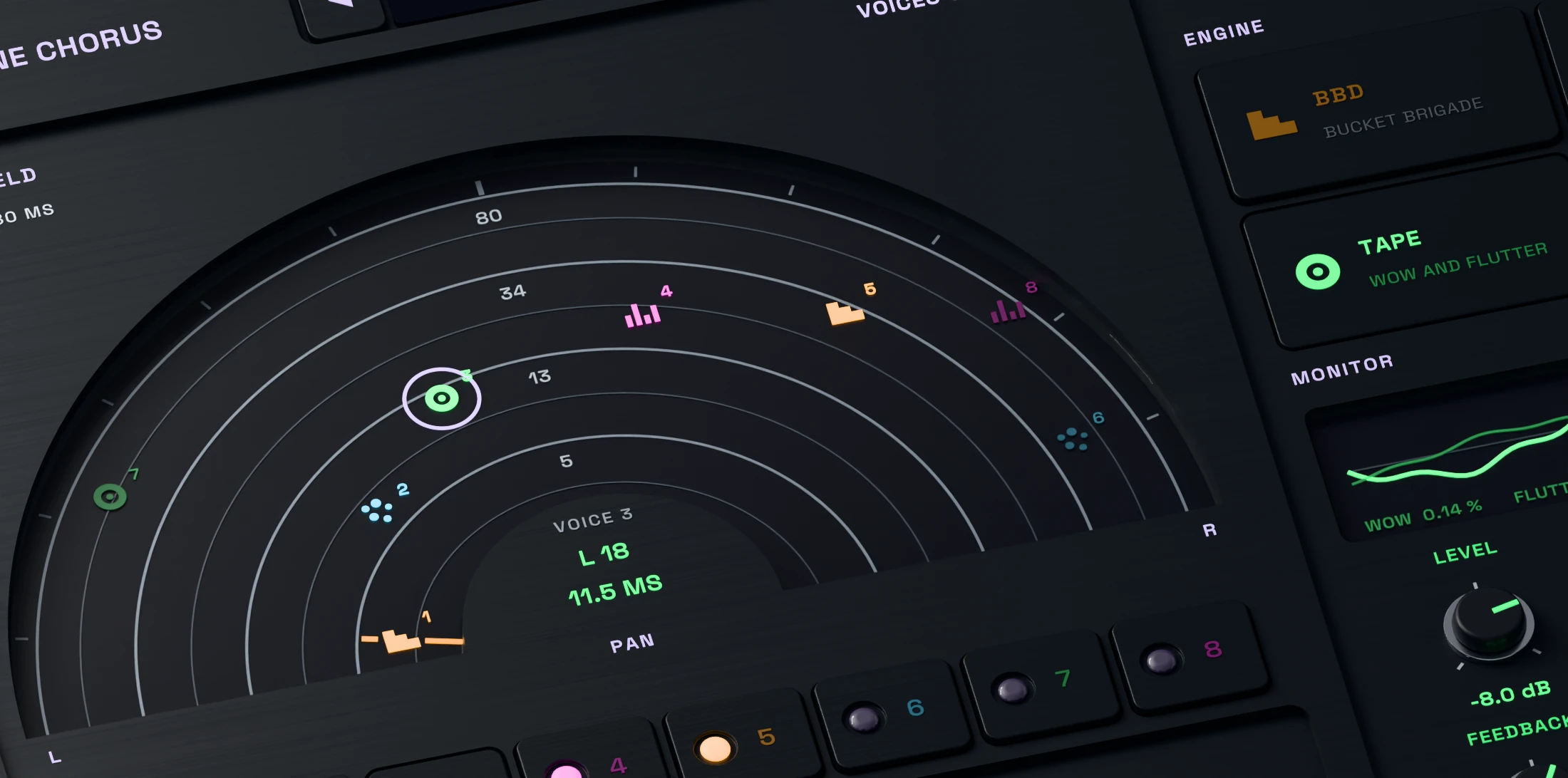
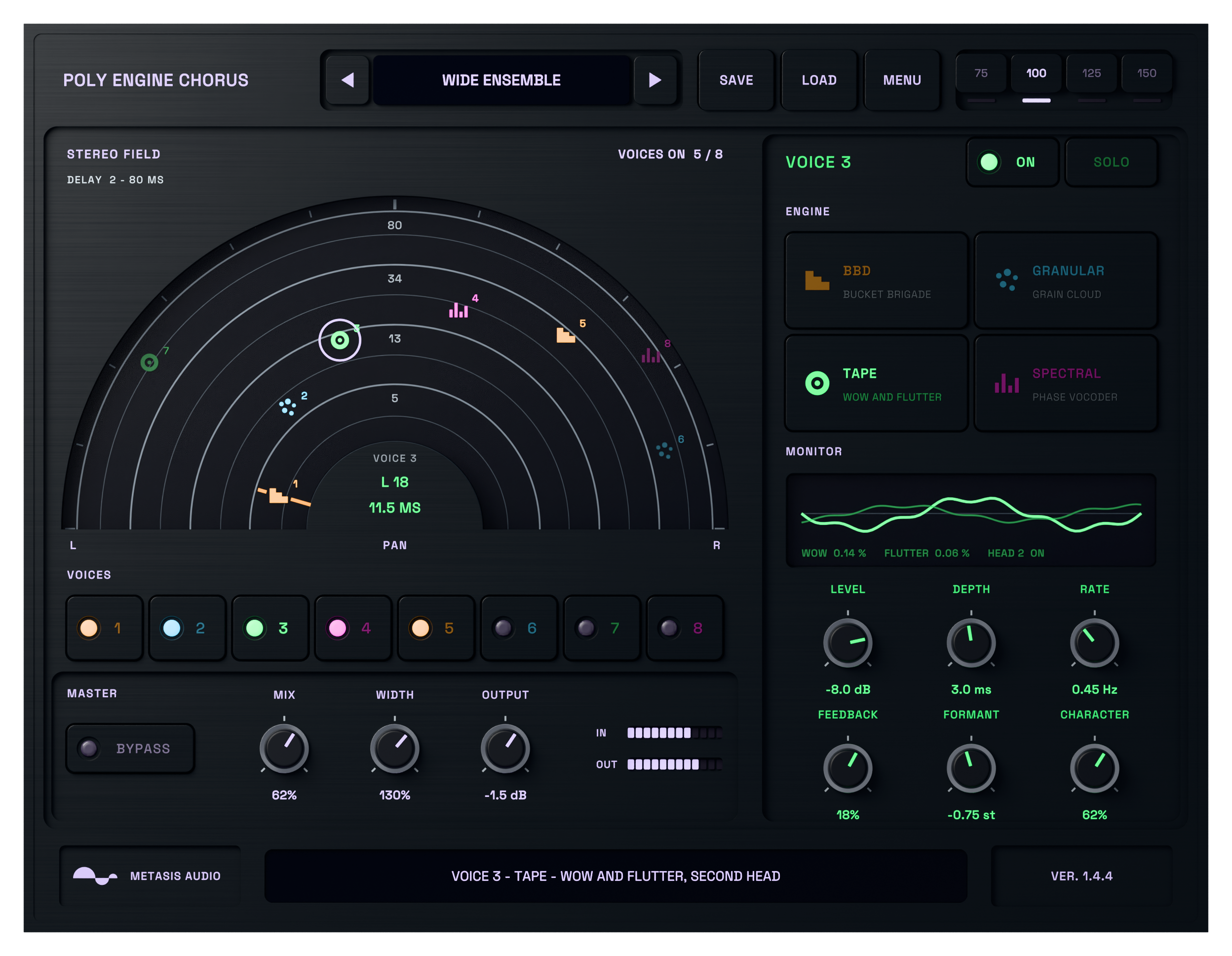
Place each chorus voice in the stereo field.
Keep two voices near the centre for subtle thickening, or spread several voices around the dry signal when the part needs more width.
The field connects the stereo result to each voice, making it easier to find the layer you want to adjust.
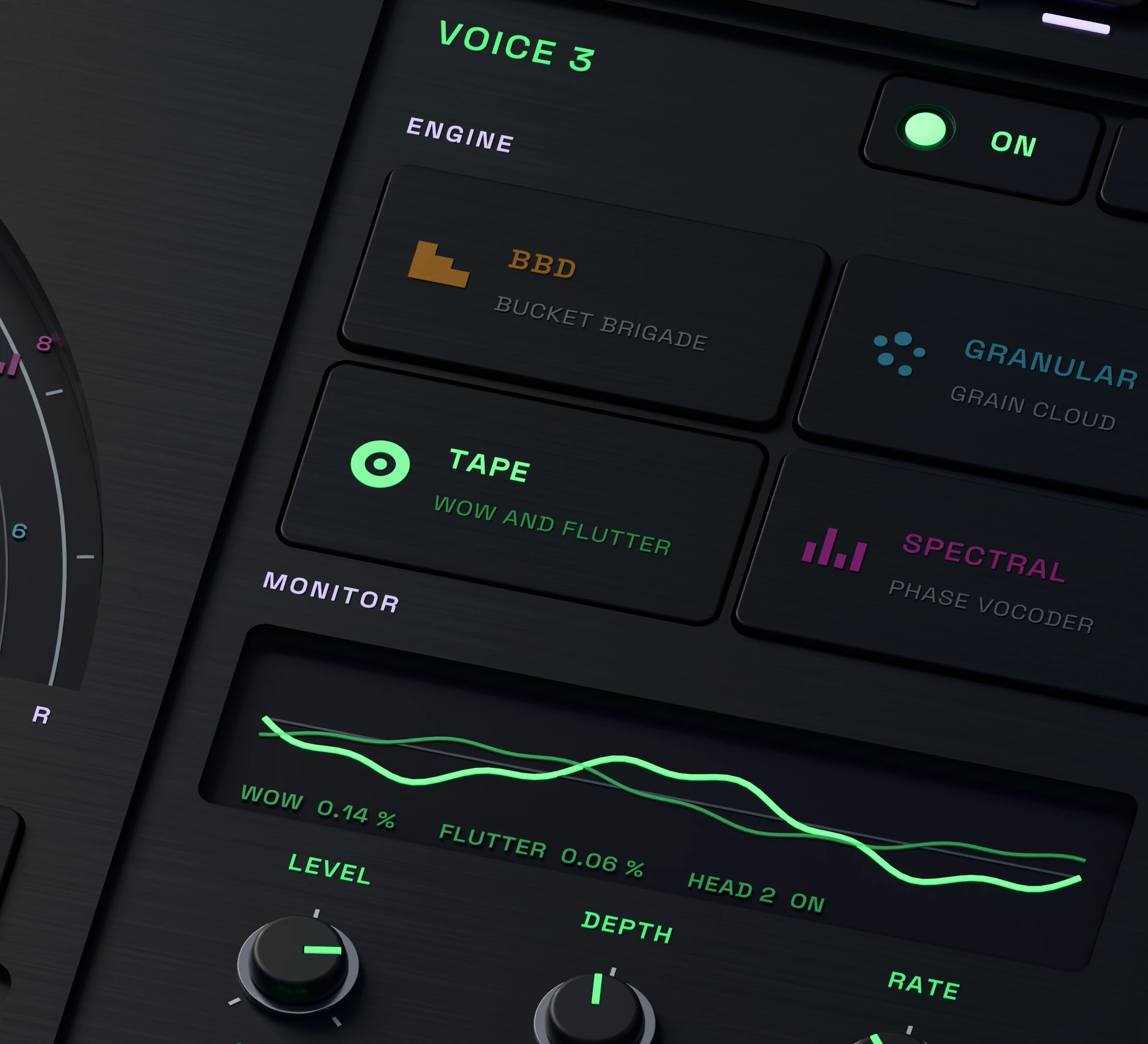
Combine BBD, Tape, Granular and Spectral chorus.
Choose an engine for every voice. BBD gives a darker delay character, Tape adds less regular motion, and Granular or Spectral processing creates more unusual layers.
Use one engine across all voices for a consistent tone, or mix engine types for a more complex chorus texture.
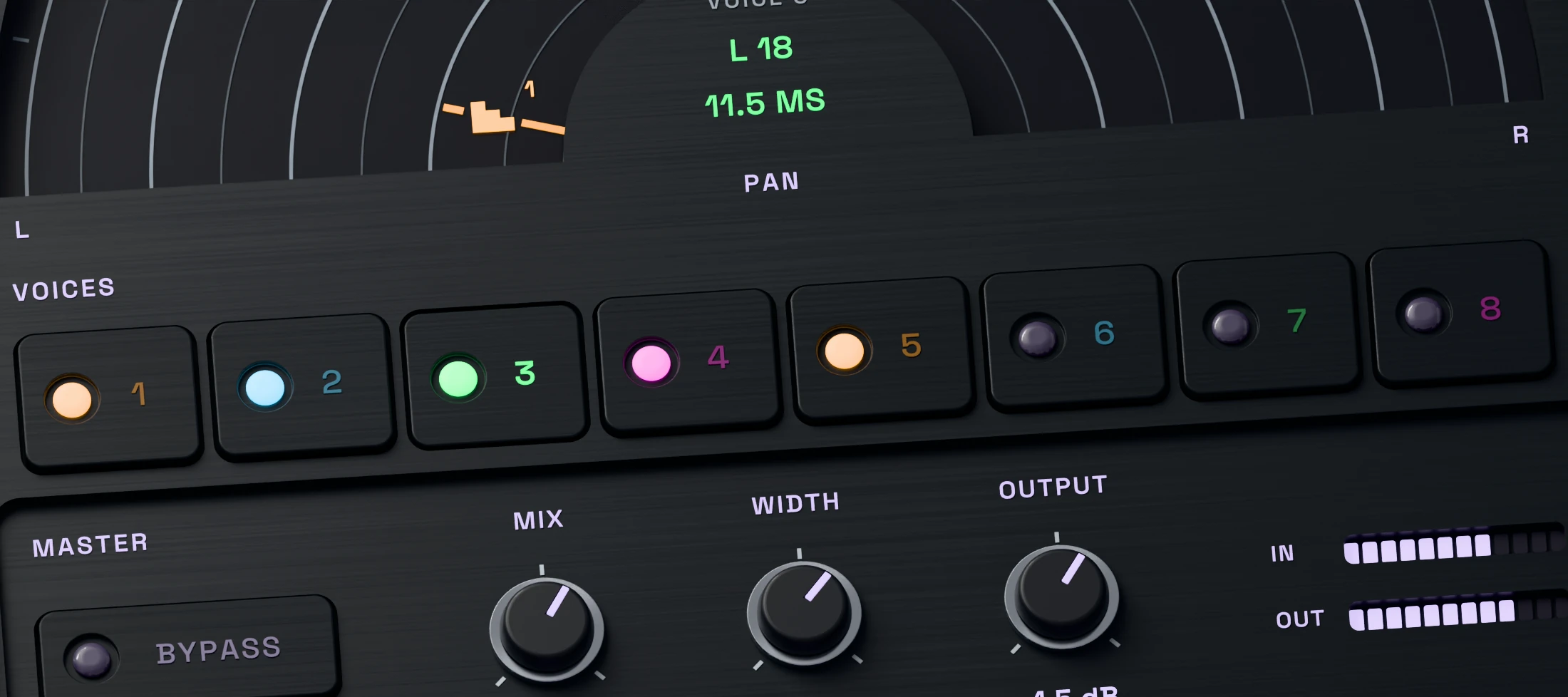
Layer only the voices the part needs.
Use anything from a restrained pair to eight independent voices. Set level and pan per voice, then solo individual layers to understand their role.
Different rates and delays prevent a larger stack from moving as one rigid block.
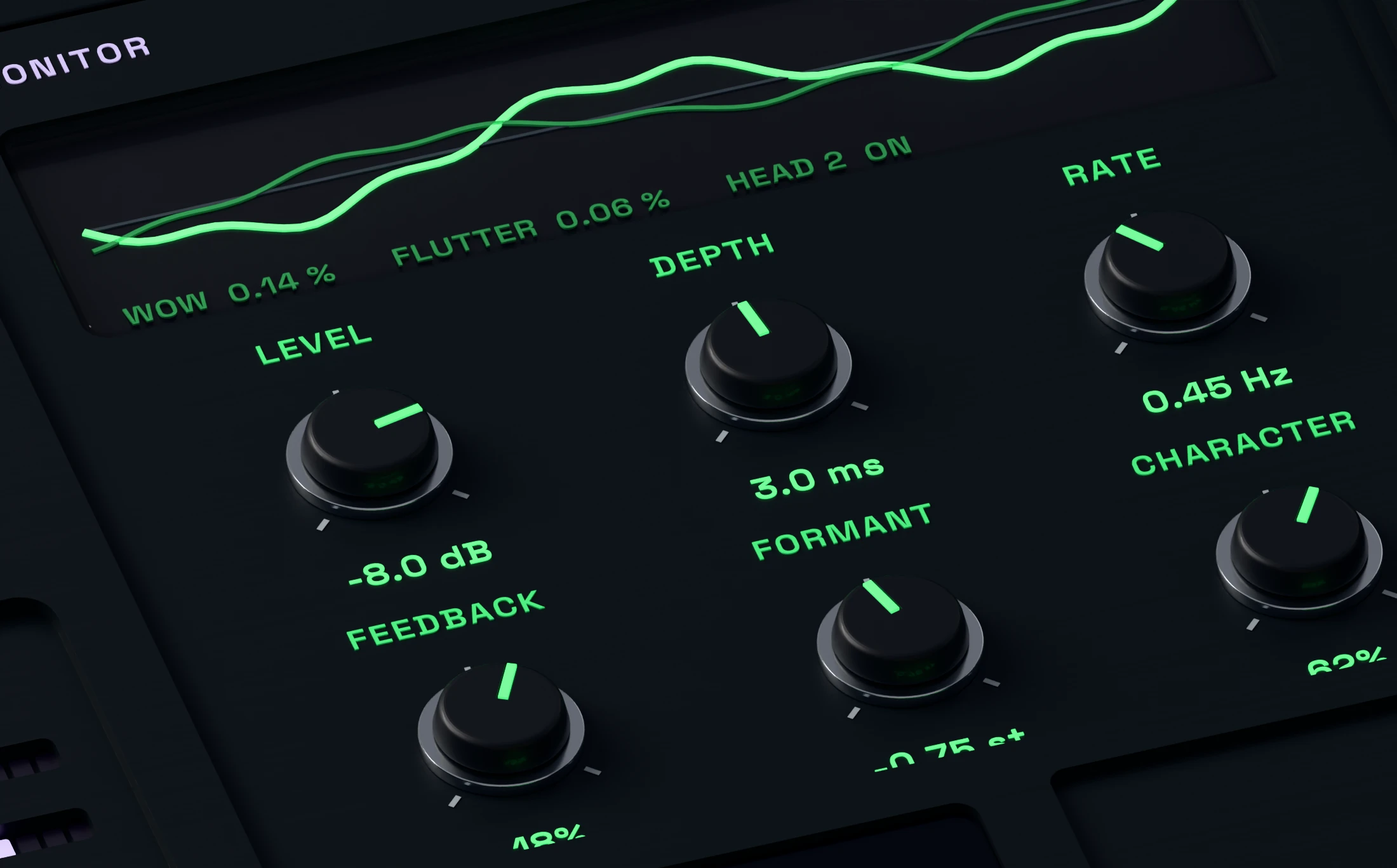
Set the motion and colour of every voice.
Depth, Rate and Delay shape the movement. Feedback, Formant and Character provide further control over the colour of each voice.
Slow, shallow settings can keep the source recognisable. Increase the movement when the chorus should become part of the phrase.
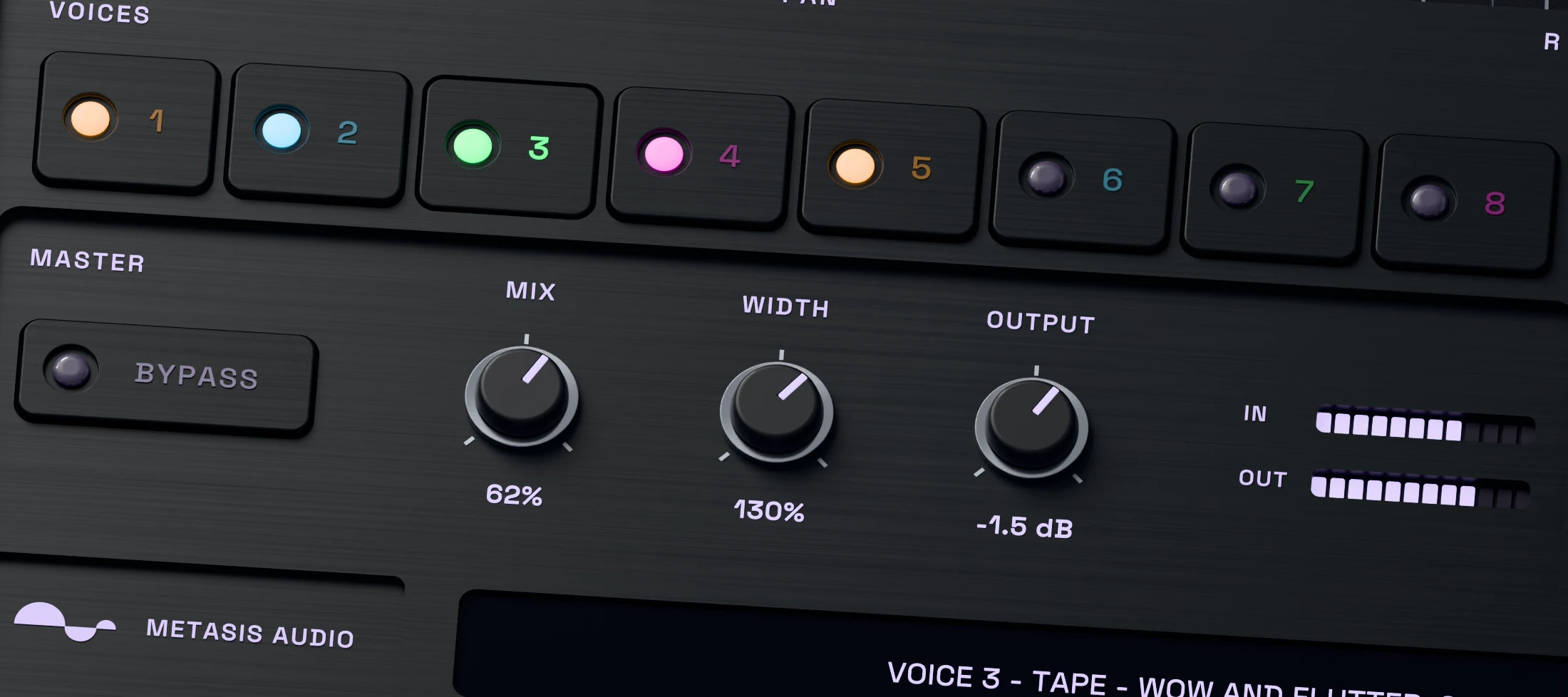
Set the final width and dry/wet balance.
Once the voices work together, use Mix and Width to place the effect around the source. Keep a firm dry centre or bring the moving layers forward.
Use Output and Bypass to match the finished sound to the session and compare it with the original.