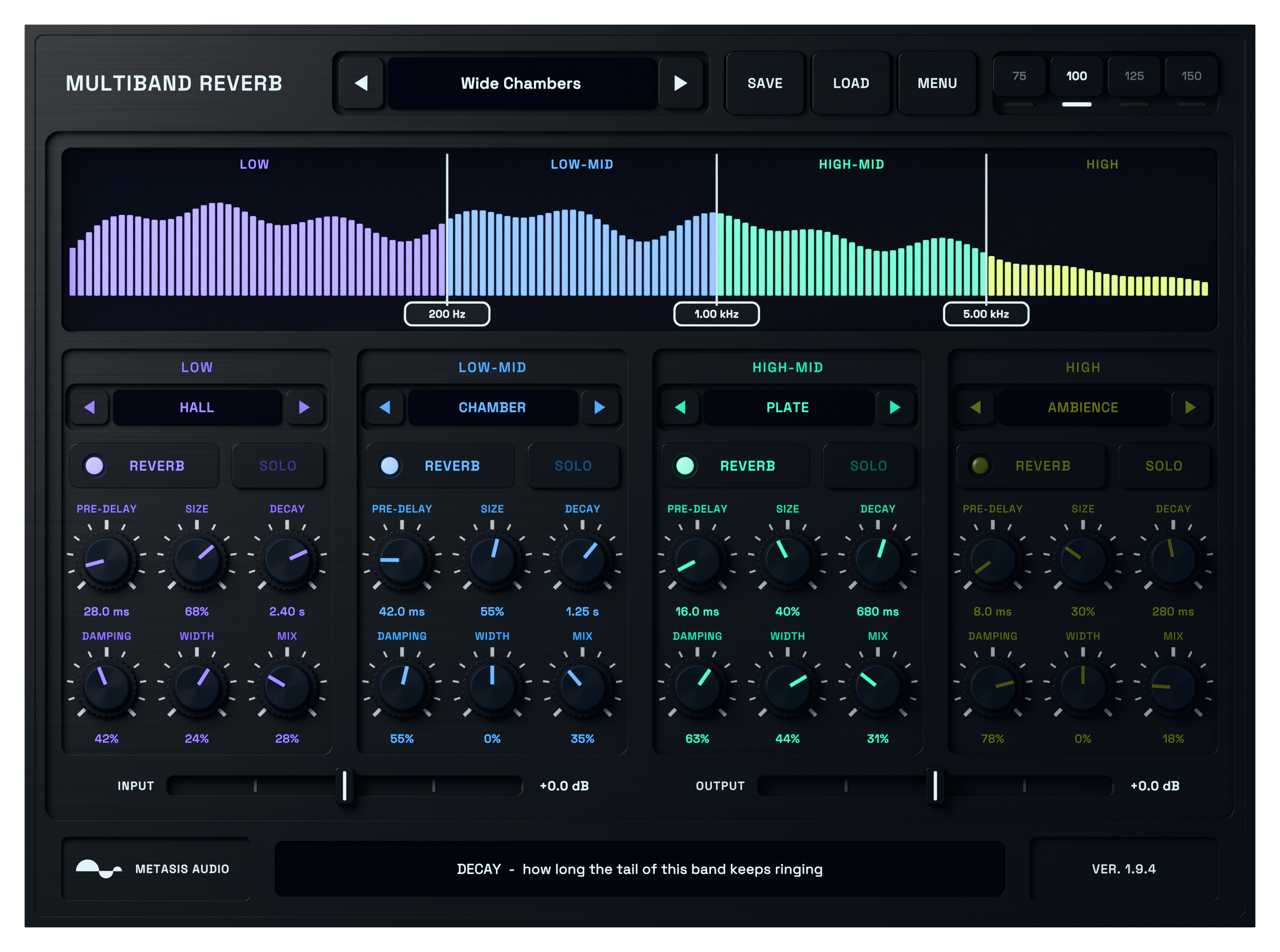
Multiband Reverb active four-band reverb interface processing audio

Multiband Reverb

A four-band reverb plugin with separate algorithms, pre-delay, decay, damping, width and dry/wet control for every frequency range.

Windows · VST3macOS · AU + VST3
$49.99

Digital product. No shipping.

Try demo

7-day full trial. No credit card required.

2-device licenseLifetime free updatesNo dongle

Give each part of the spectrum the space it needs.

A single reverb setting can suit the top of a sound and blur its low end. Multiband Reverb splits the signal into four ranges so the bass can stay controlled while the mids and highs carry more space.

Choose a reverb algorithm, timing, damping, width and wet level for each band. Use it as an insert or build a fully wet return.
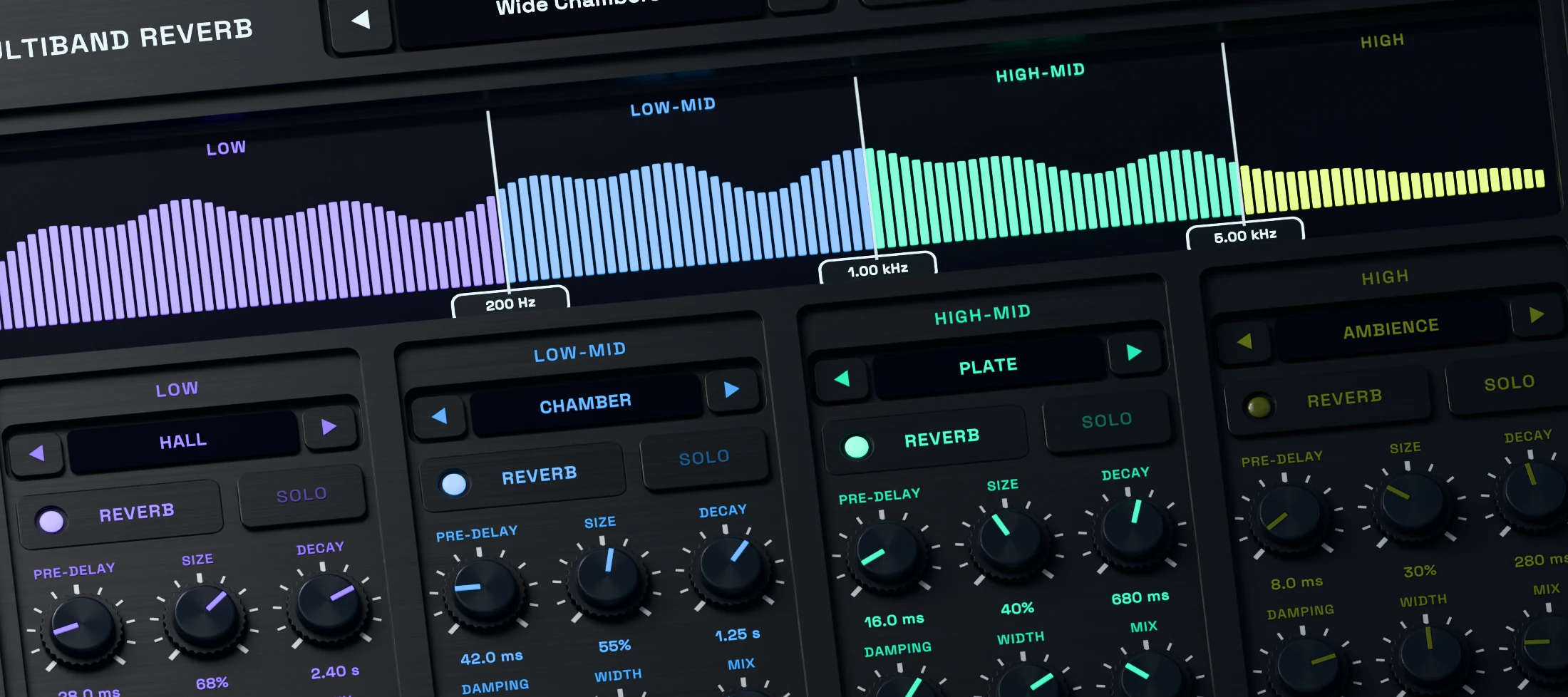
Multiband Reverb 3D close-up showing the active four-band crossover display

Set where each reverb band begins and ends.

Move the three crossover points to divide the signal into four bands. Set the boundaries around the source, then decide which ranges should stay close and which should bloom.

The Linkwitz-Riley crossover network is part of the sound. Adjust the split while listening to the full mix, not only to an isolated band.
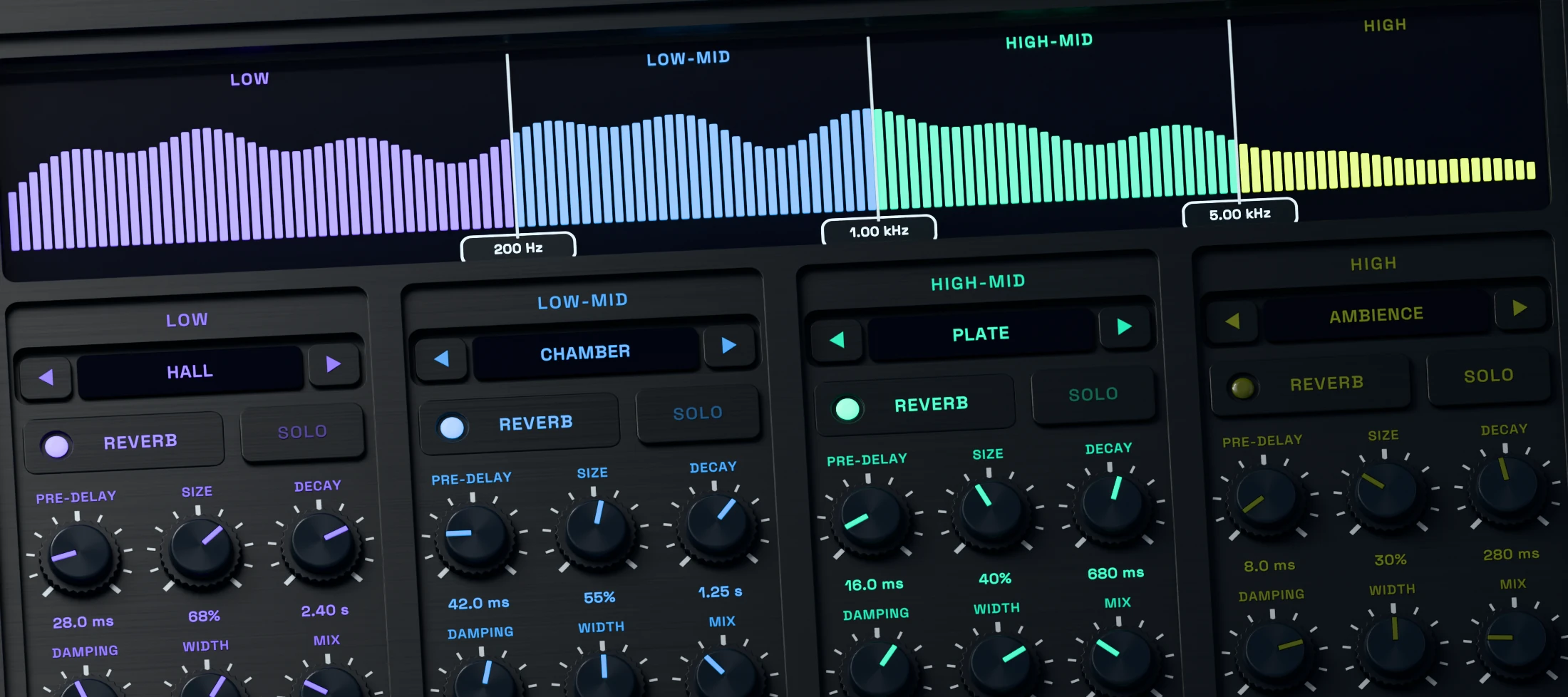
Multiband Reverb 3D detail showing separate active reverb choices across four bands

Choose a different space for every band.

Each band can use one of nine reverb algorithms. A short room can keep the lower mids firm while a wider hall gives the upper range a longer tail.

The four coloured strips link each set of controls to its range in the spectrum, so a complex setup remains easy to read.
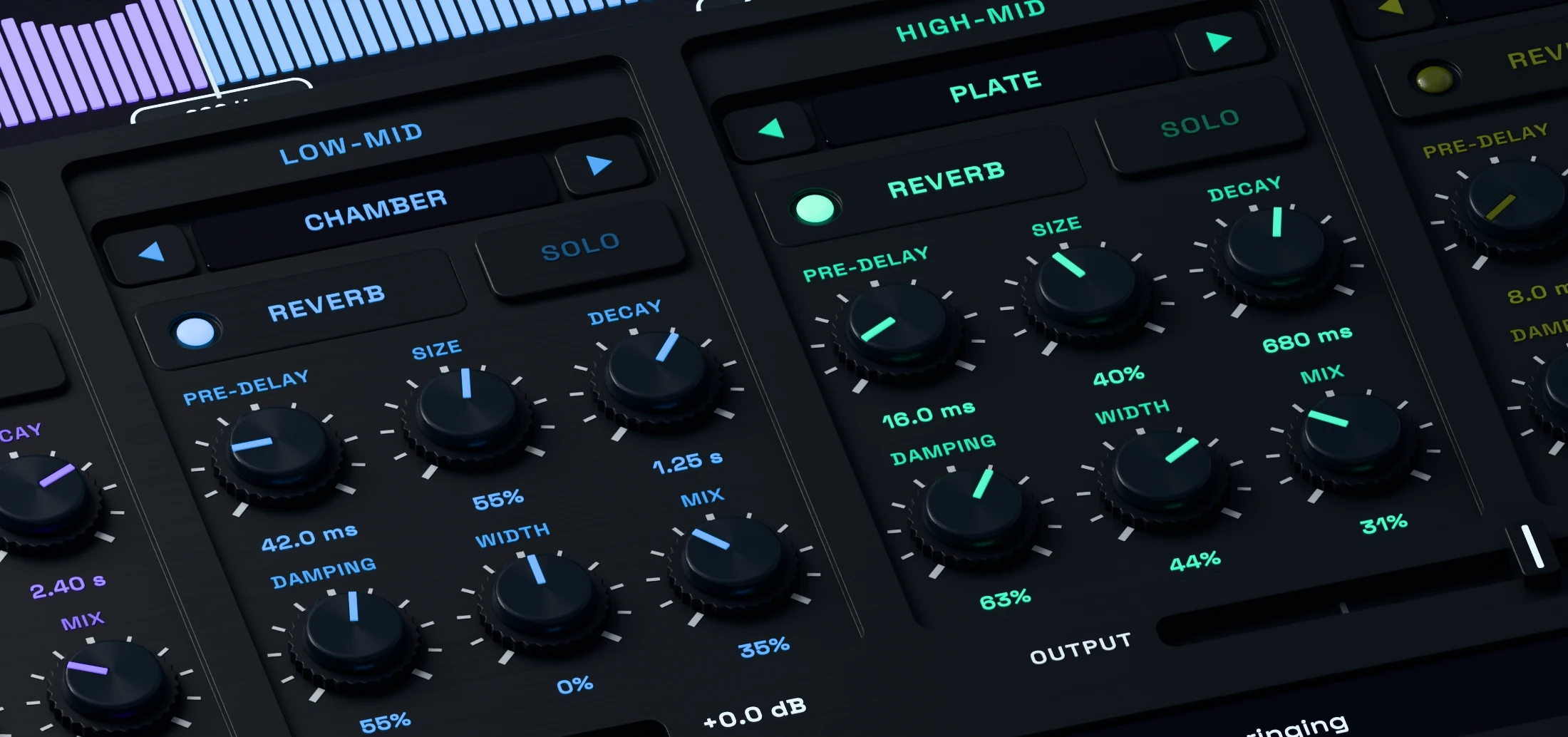
Multiband Reverb 3D close-up showing decay, pre-delay, damping and width controls

Control decay, pre-delay, width and damping per band.

Pre-Delay separates the dry attack from the reverb. Size and Decay shape the space and its length. Damping controls how the tail loses brightness, and Width sets its stereo spread.

Every band also has its own Dry/Wet control. Add only as much reverb as that frequency range needs.
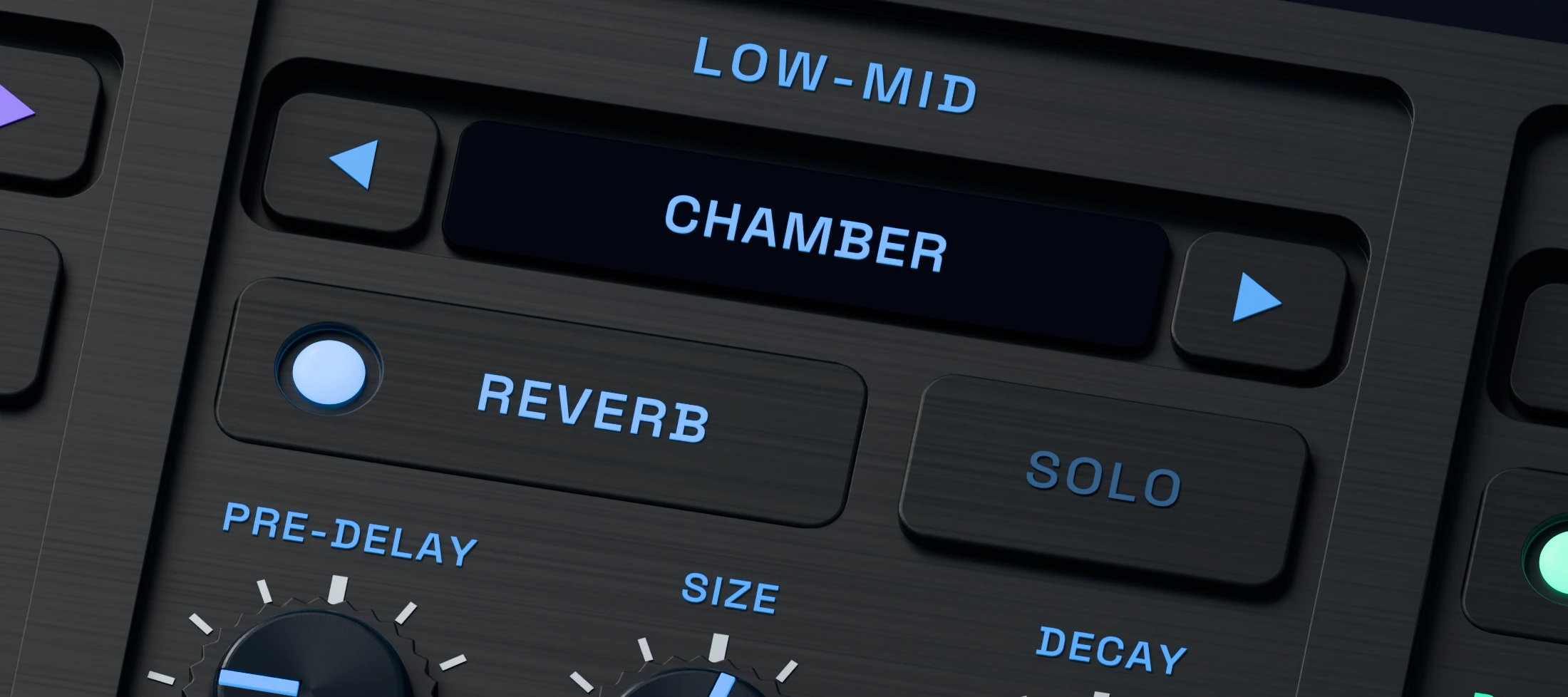
Multiband Reverb 3D detail showing active band solo and level controls

Solo each band and make decisions in context.

Solo a band to hear its reverb, make the adjustment, then return to the full signal. The band switches and level controls make small changes easier to judge without losing the larger mix decision.

For a conventional send return, enable reverb in every band and set all four Dry/Wet controls to 100 percent.
Hear the difference.

Switch between the original and processed signal at the same point in the track.

01

Drum Bus

02

Instrument Bus

03

Vocal

Try Multiband Reverb free for seven days

Try every feature of Multiband Reverb in your own session. No credit card required.

System requirements

Windows
Windows 10 or 11, 64-bit. VST3.
macOS
macOS 11 or later. Intel and Apple Silicon. Universal build.
Plugin formats
Windows: VST3. macOS: VST3 and Audio Units (AU).
Your DAW
Load Multiband Reverb as an audio effect. For a wet-only return, enable reverb in every band and set each Dry/Wet control to 100 percent. AAX and a standalone application are not included.
Read manual (PDF)

Frequently asked questions

What is a multiband reverb?

A multiband reverb splits the signal by frequency and processes each range separately. Multiband Reverb provides four bands, so you can keep low frequencies controlled while giving the mids or highs a different space.

Can each band use a different reverb?

Yes. Each band has its own choice of nine algorithms plus Pre-Delay, Size, Decay, Damping, Width and Dry/Wet controls.

How do I use it on a send?

Enable reverb in every band and set each Dry/Wet control to 100 percent. Adjust the amount with your DAW send. Turning a band's reverb off passes that band's dry signal, so it does not mute the band on a wet return.

Can I try it before buying it?

Yes. The full plugin runs for seven days from first launch with no credit card required. Activate a purchase with the email address and license key shown in your account.

Does it work offline?

Yes. Internet access is needed for activation, an older activation check or releasing a computer. Normal use works offline after activation.

Which systems and plugin formats are supported?

Windows 10 or 11 uses the 64-bit VST3. macOS 11 or later includes VST3 and Audio Units for Intel and Apple Silicon. AAX and a standalone application are not included.

Choose which optional services may run. Your choice is stored on this device for 180 days. You can change or withdraw it at any time through Cookie settings in the footer.

Privacy policy

METASIS AUDIO

Your cart

No products in the cart.

Final total and applicable taxes shown at checkout.